

If you encounter any problems downloading the Classroom PowerPoint files from www.e-pelangithai.com, such as the download failing, or the download window opens and then closes without downloading any files, please follow the instructions below:
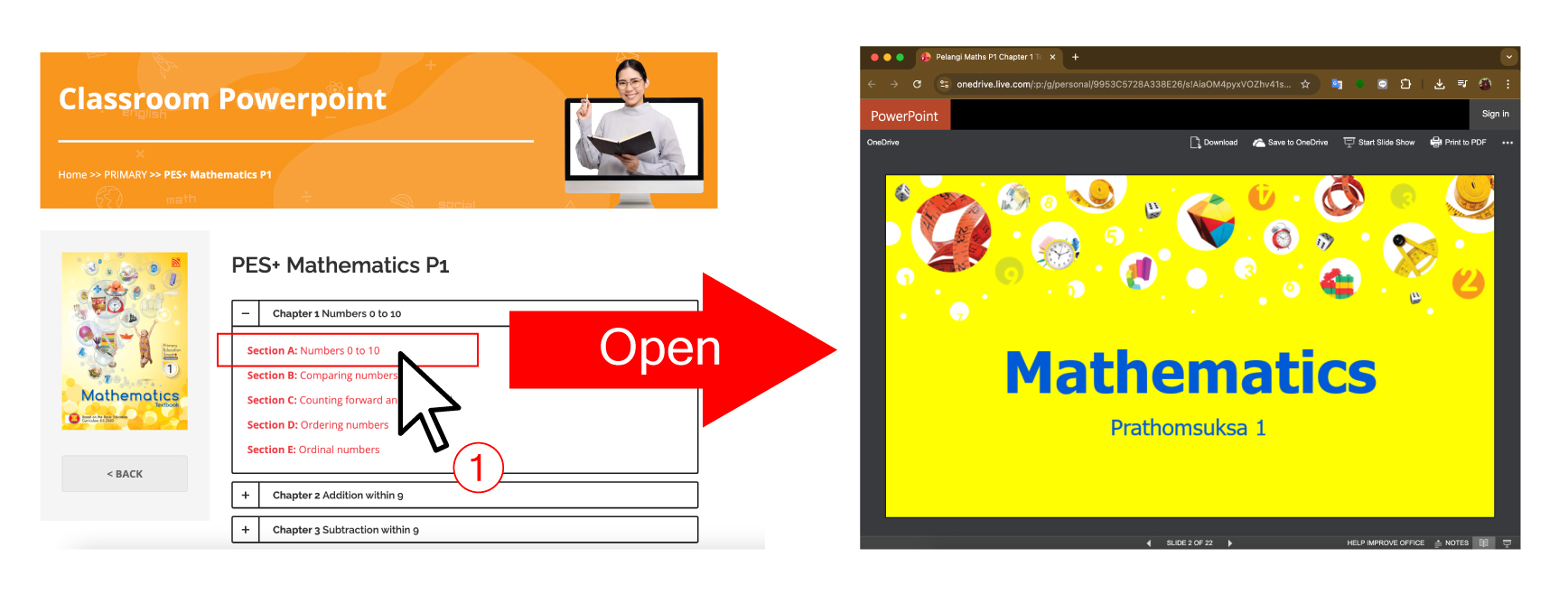
1. Select the Classroom PowerPoint file you want to download. The system will automatically open the OneDrive page.
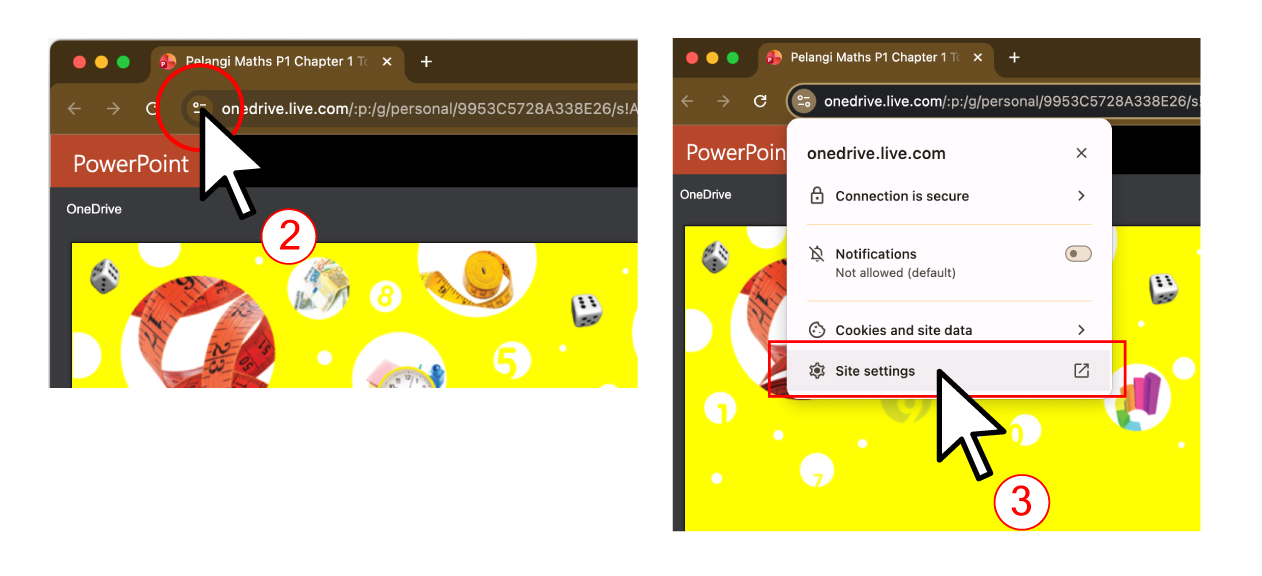
2. Click the View site information button to open the website information menu.
3. Select Site settings.
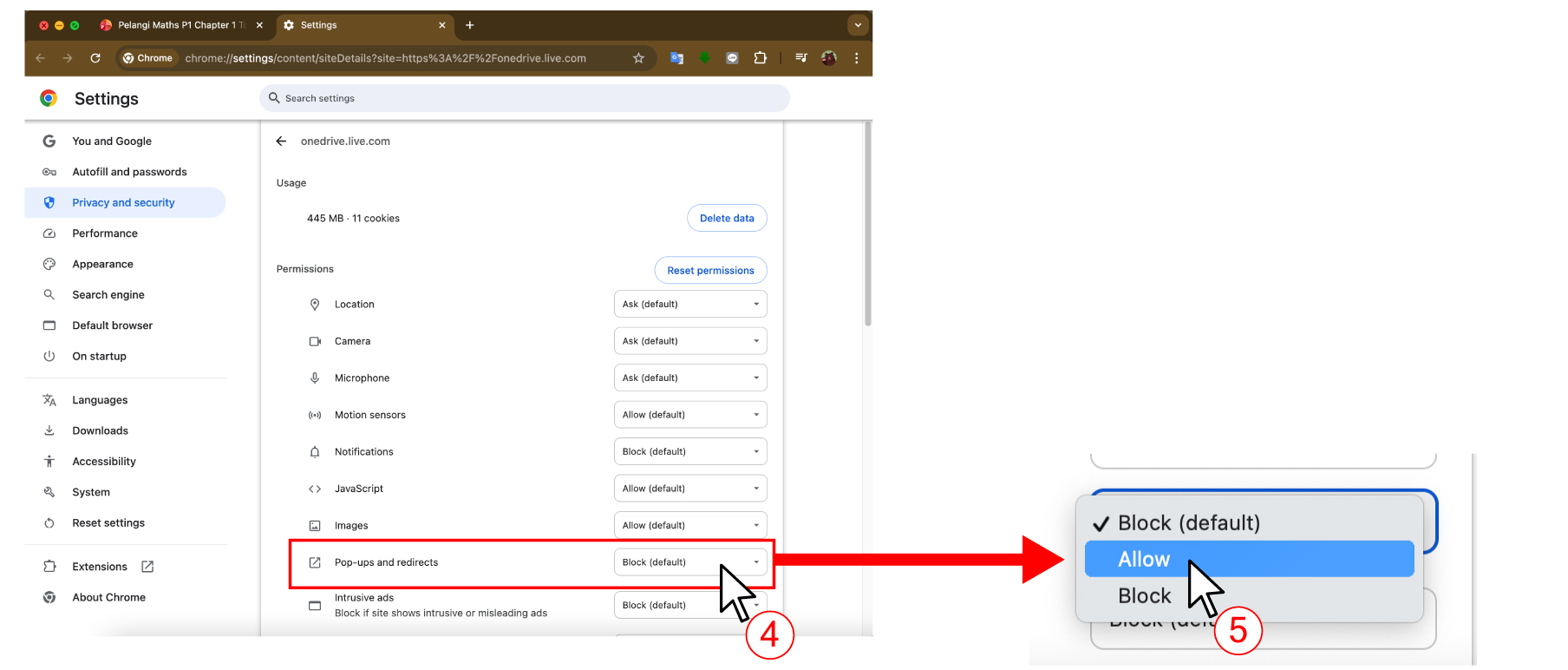
4. On the Site Settings page, look for Pop-ups and redirects and click the box on the right.
5. Choose Allow and close the tab.
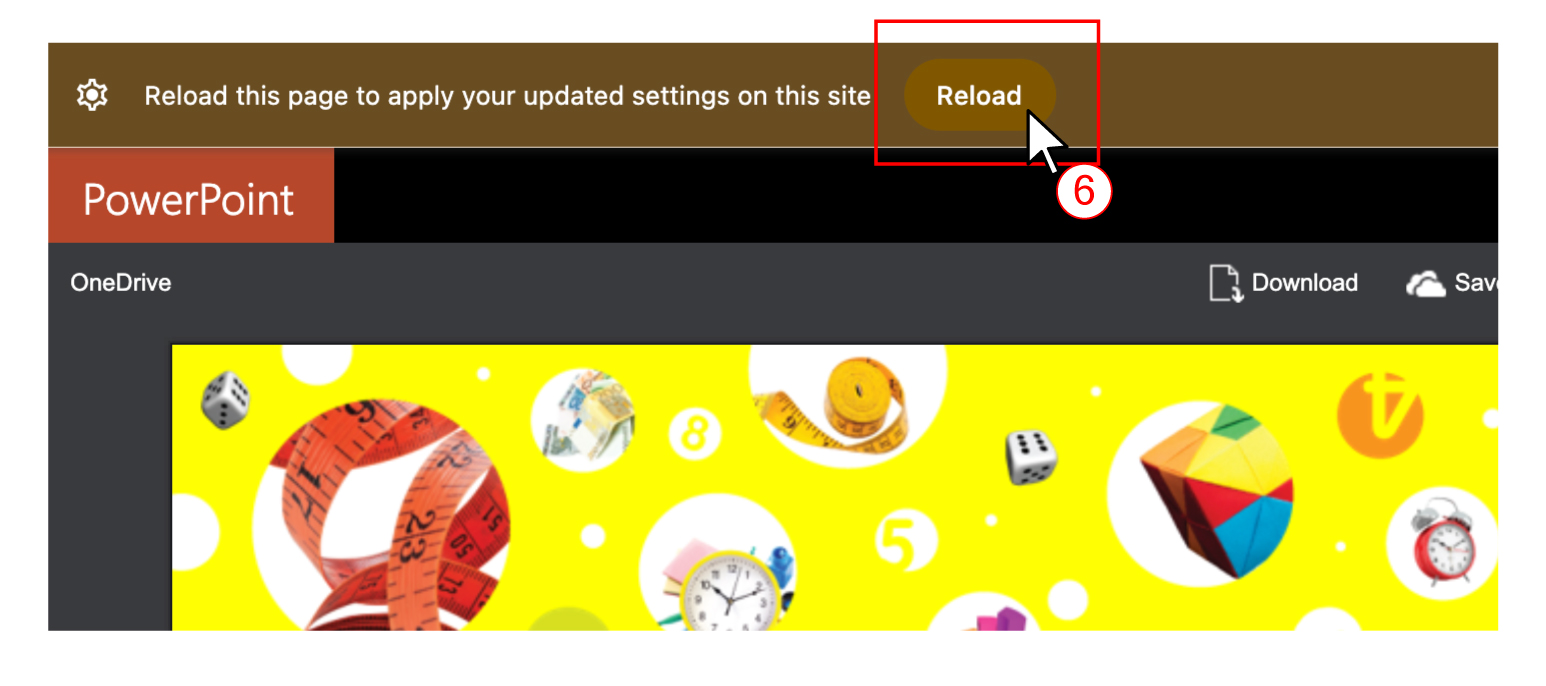
6. Go back to the OneDrive page and click Reload.
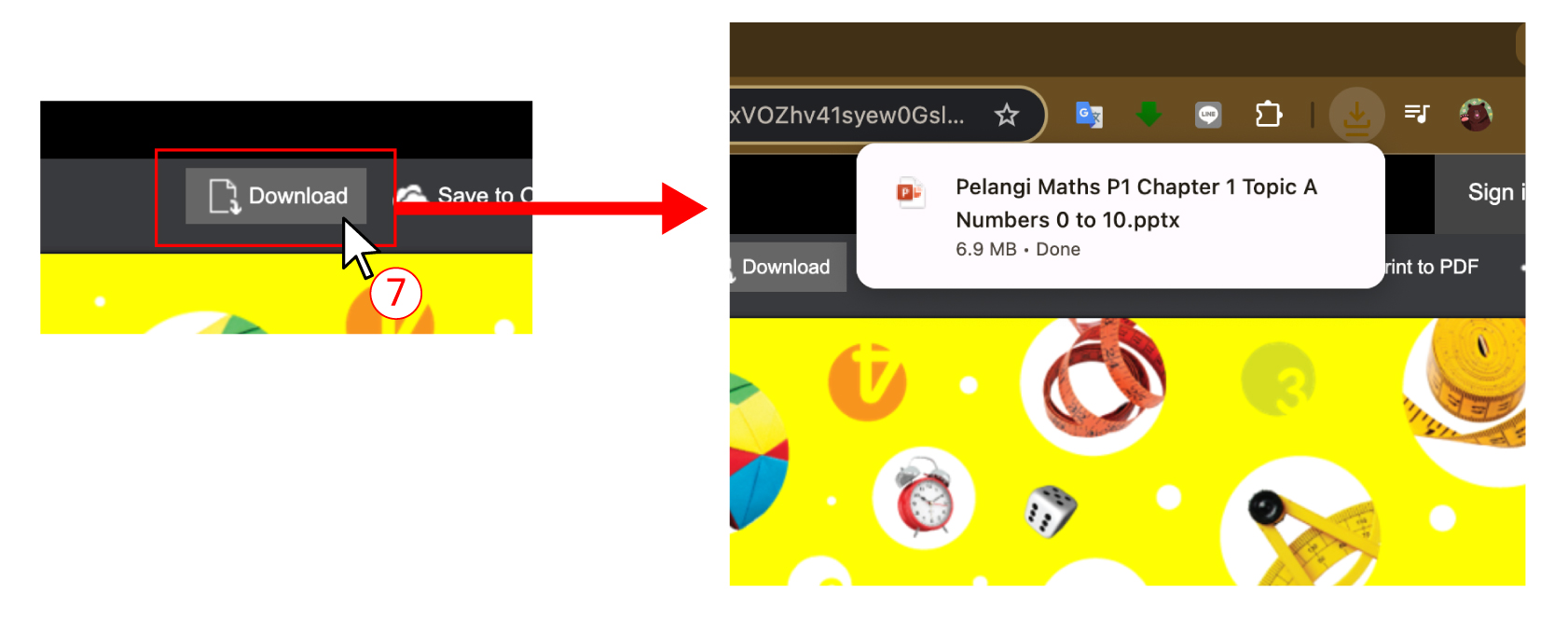
7. After reloading, click Download. The Classroom PowerPoint file will be downloaded.
8. If the file is not downloaded, please switch to other web browsers such as Edge, Firefox, Safari, etc.
If you still encounter any problems, please contact e-pelangithai.com and let us know the lesson names and your web browser. We will check and try to solve the problem immediately. We apologize for the inconvenience. Thank you for using e-pelangithai.com.